
Download Nugget Ping – Network Monitoring, Device Status, Embedded Server, Real-Time Updates
Overview
Nugget Ping is a lightweight network administration tool designed to simplify the monitoring of connected devices within a local network. Its primary purpose is to provide real-time visibility into the online or offline status of all devices, enabling users to quickly identify connectivity issues or track device availability. This makes it particularly useful for home users managing smart devices, small business networks, or IT professionals requiring a no-frills diagnostic utility. The app is built around the principle of simplicity, offering core functionality without unnecessary complexity, which enhances usability across different technical skill levels.
By leveraging an embedded server, Nugget Ping eliminates the need for external software or complex configurations, allowing access through any standard web browser. This feature significantly reduces the barrier to entry, especially for users unfamiliar with network tools. Real-world applications include troubleshooting Wi-Fi dropouts, verifying device boot-up sequences, or confirming the status of networked printers, cameras, or servers. While it does not include advanced features like bandwidth tracking or alerting systems, its focused scope makes it a reliable companion for basic network oversight.
Although the developer did not provide additional background information, the app’s long-standing presence since its release on May 9, 2016, suggests stability and ongoing relevance in the utility space. Its minimal footprint and browser-based access position it as a niche but valuable tool within the broader ecosystem of network management utilities, especially for users seeking a straightforward, plug-and-play solution.
Key Features & Functionality
- Device Status Monitoring: Provides continuous real-time updates on the online or offline status of all devices connected to the network. This enables immediate detection of connectivity disruptions, helping users respond quickly to outages or unexpected disconnections.
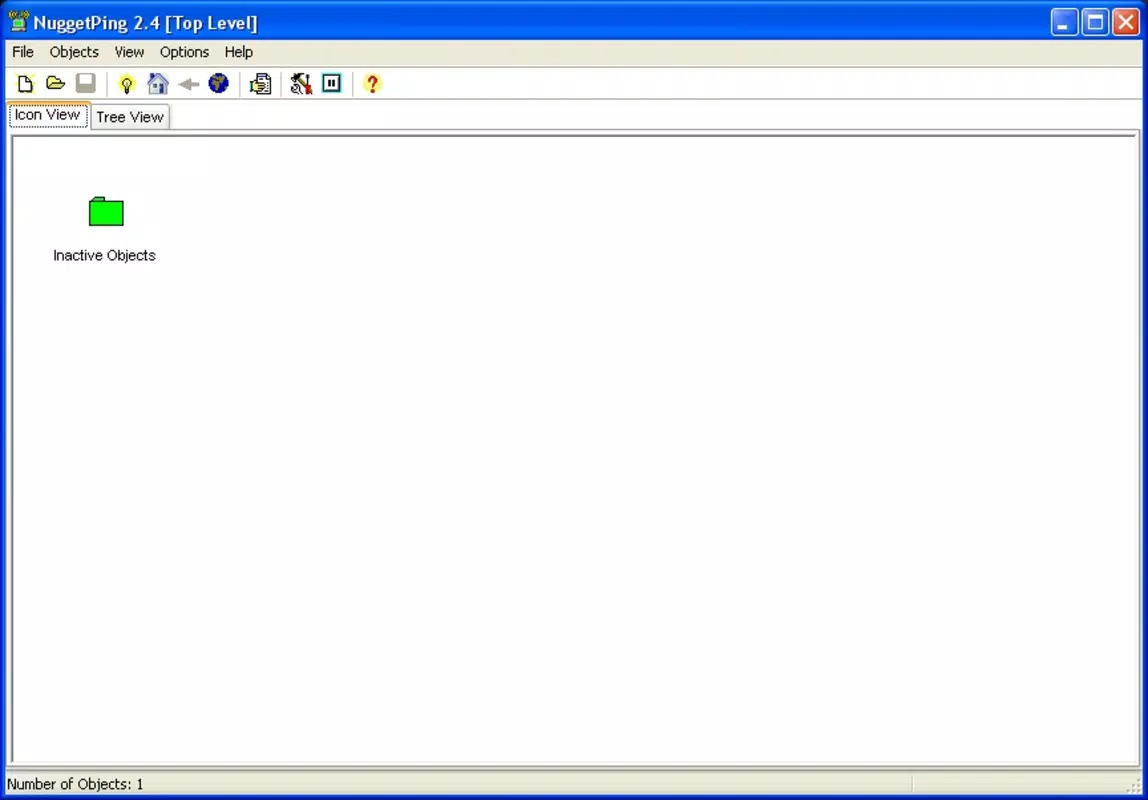
- Two Viewing Modes: Offers an icon-based view for quick visual assessment and a tree view that presents detailed device information. The dual-mode interface supports different user preferences and use cases, from rapid status checks to in-depth network analysis.
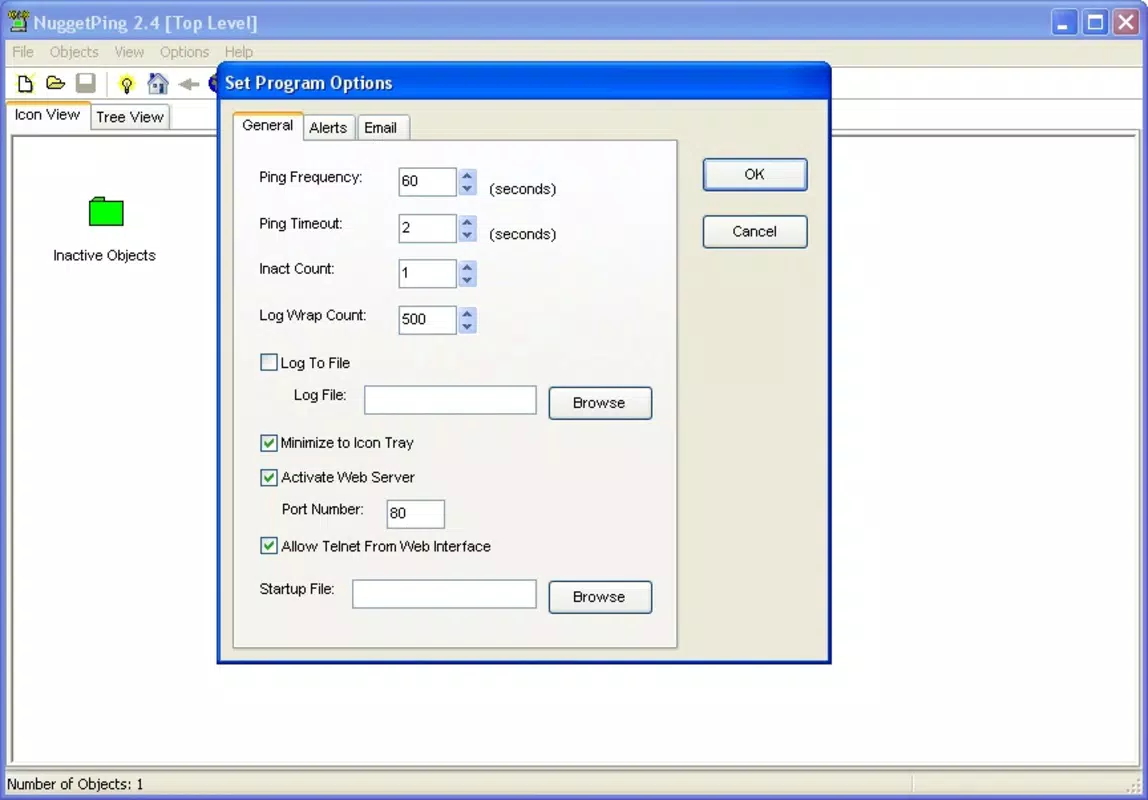
- Embedded Server Access: The built-in server allows access via any web browser without requiring additional installations. This feature supports remote monitoring from any device with network access, enhancing flexibility and convenience.
- Detailed Device Information: In tree view mode, users can view essential device data such as IP address, last registered change timestamp, and optional descriptions. This aids in identifying specific devices and understanding their role within the network.
- Simplicity and Efficiency: The tool maintains a clean, focused design with no extraneous features. This streamlined approach ensures fast performance and reduces the learning curve, making it ideal for both novice users and experienced IT personnel who value efficiency.
For example, a home user can check if their smart thermostat is online after a power outage by accessing the app through a smartphone browser. An IT technician might use the tree view to verify the IP configuration of a newly deployed device during a network audit. The lack of advanced analytics or alerts means users must manually monitor the interface, but this trade-off ensures reliability and minimal resource usage.
Interface, UX & Performance
The user interface of Nugget Ping is intentionally minimalistic, prioritizing clarity and immediate access to core functions. The icon-based mode offers a visual overview, with color-coded indicators to distinguish between online and offline devices, enabling users to scan the network at a glance. The tree view, in contrast, presents a hierarchical layout that organizes devices with structured details, improving navigability for larger networks.
Navigation is straightforward, with intuitive switching between viewing modes and direct access to device-specific information. The absence of cluttered menus or complex settings contributes to a smooth user experience, especially for users who prefer functional tools over feature-heavy applications. Although the developer did not list formal performance metrics, the app’s lightweight design suggests it runs efficiently on a variety of devices, including older hardware or low-powered systems.
Responsiveness is consistent across devices with web browser access, and stability appears reliable based on its long-term availability. The embedded server operates without requiring external dependencies, which reduces the risk of crashes or configuration errors. While no specific details on battery consumption or background behavior were provided, the app’s design implies minimal impact on device resources.
Platform Compatibility & Technical Requirements
Nugget Ping is designed for use on devices that support a web browser with access to a local network. The developer did not specify the exact operating system or version requirements, nor did they provide information on compatibility with specific platforms such as Android, iOS, or desktop environments. However, since the tool relies on an embedded server accessible via any standard web browser, it can be used on a wide range of devices, including smartphones, tablets, and computers.
The app’s file size is not disclosed in the provided information, but its lightweight nature and browser-based access suggest a small footprint. Users should ensure their device supports HTTP server access and has network connectivity to the host system running Nugget Ping. Specific hardware or software requirements were not listed, and compatibility with older systems or low-end devices was not confirmed.
Pros and Cons
- Simple, intuitive interface suitable for beginners and experts alike
- Real-time device status monitoring without external dependencies
- Accessible via any web browser, enabling remote monitoring
- Two viewing modes for flexible network visualization
- Minimal resource usage and efficient performance
- Limited to basic network monitoring—no alerting or logging features
- No mobile app version; requires browser access
- Developer did not provide detailed technical specifications
- Compatibility with specific platforms not clearly defined
- Does not support advanced network diagnostics or analytics
FAQ
Is Nugget Ping free to download and use?
Yes, the app is available for free. No payment or subscription is required to access its core features.
Can I use Nugget Ping on my smartphone?
Yes, as long as your smartphone can access a web browser and connect to the same network as the device running Nugget Ping.
Does Nugget Ping require a separate app installation?
No. The tool operates through an embedded server, so no additional app installation is needed on the client device—only a web browser.
Is Nugget Ping secure for use on private networks?
Since it runs on a local network and does not require internet access, it is generally secure for private use. However, users should ensure the server is not exposed to external networks.
How often does Nugget Ping update device status?
The app provides real-time updates, continuously monitoring device connectivity. The exact refresh interval is not specified but is designed to reflect status changes promptly.
Final Thoughts + CTA
Nugget Ping stands out in the crowded field of network tools by embracing simplicity and accessibility. While it lacks advanced features, its focused design delivers reliable, real-time device monitoring without complexity. It is especially well-suited for users who need a lightweight, no-setup solution for tracking network-connected devices—whether at home, in small offices, or during technical troubleshooting.
Its browser-based access and dual viewing modes make it adaptable to various use cases, and its minimal resource demands ensure broad compatibility. For those seeking a straightforward, efficient utility without the overhead of full-featured software, Nugget Ping offers a compelling value proposition.
Download Nugget Ping now


